
Part 1 of the SecureFlag MCP Server series
SecureFlag helps organizations adopt AI-assisted development without security falling behind, with capabilities that plug directly into the AI-driven SDLC.
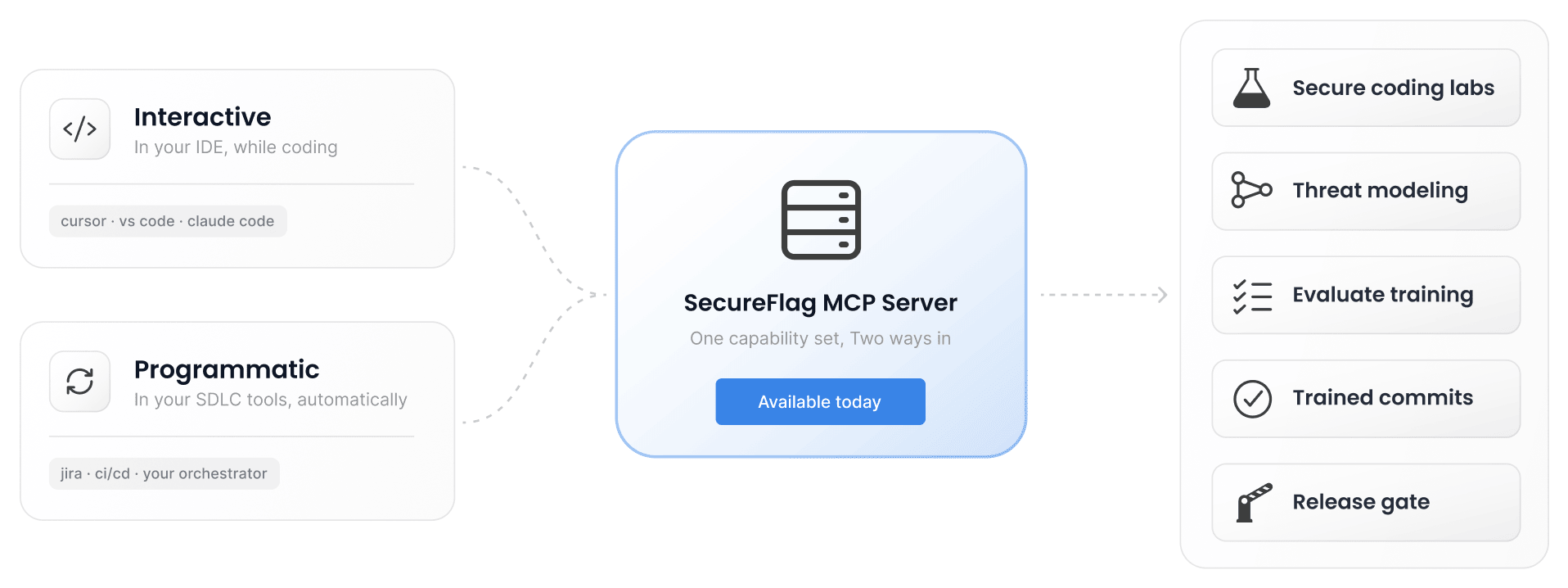
The new SecureFlag MCP Server brings threat modeling and secure coding training to developers and agents when they need it, inside the tools where development happens. MCP-compatible clients such as Claude Code and Codex connect directly to ThreatCanvas and SecureFlag’s hands-on labs. No separate platform, no context switch.
Teams can use it in two ways: interactively in the IDE, with developers and their agents calling SecureFlag as they work, or programmatically across the software development lifecycle, where agents can invoke SecureFlag from Jira and delivery pipelines for every story.
What is MCP?
The Model Context Protocol (MCP) is an open standard that allows AI assistants and agents to connect with external tools and services.
An MCP server acts as a bridge between an AI tool and an external service, letting the AI tool access capabilities provided by that service. Instead of only generating or explaining code, an AI assistant connected to an MCP server can use those capabilities for tasks such as security analysis, testing, and documentation.
Security while code is being written
After the MCP server connects to an AI coding assistant, developers can use SecureFlag from the editor without switching tools. They can type plain-language prompts such as “Threat model this project” or “Which training should I do for this feature?”
SecureFlag considers what the developer is working on to provide a relevant response, whether that means generating a threat model or recommending hands-on training.
Training matched to the work
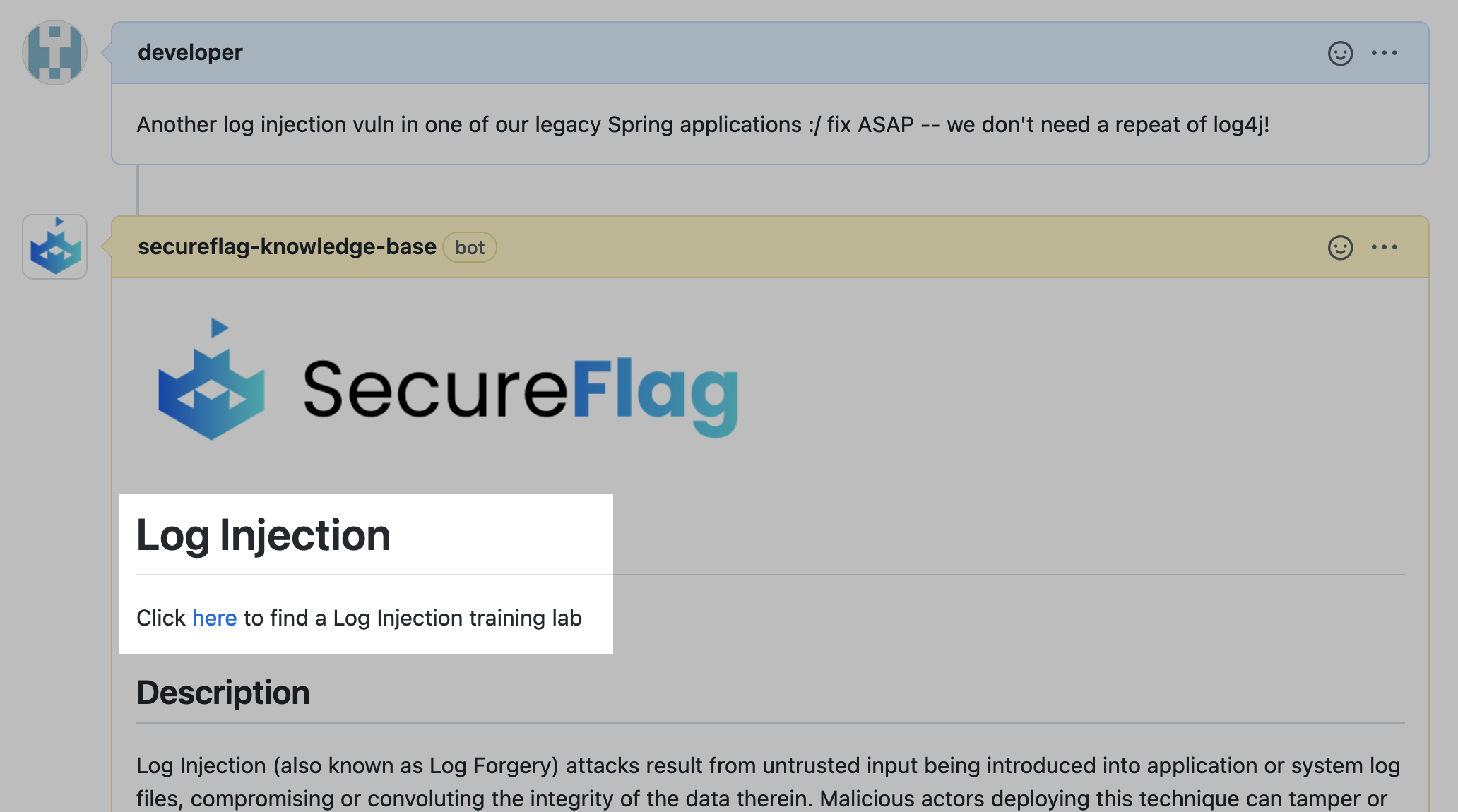
Security training is most useful when developers can apply it to the work in front of them. For example, a developer adding a database-backed search feature can ask which training they should complete. SecureFlag can use the development context, including the project’s language and framework, to recommend hands-on security labs relevant to the risks involved, such as broken access control.
Recommendations can take the developer’s existing competency into account, so training builds on what they already know. The result is security training connected to the work itself, and not a separate activity developers have to find time for.
Training recommendations can also be based on risks identified in a threat model, giving developers a way to turn those findings into targeted training.
Threat model a project or feature
Developers can generate a threat model while designing and building a feature. For instance, they can ask, “Threat model the security risks for this payment flow.”
The starting point can be a description, design, infrastructure as code, or the code itself. SecureFlag identifies the threats relevant to what is being built and the controls that can mitigate them, giving developers guidance on how to address those risks when the design is still easy to change.
Threat models can be updated as the application changes, so they stay aligned with the architecture. Developers can also ask questions about an existing model, such as which risks are highest or which controls need attention.
Each model comes with a shareable link that opens in ThreatCanvas, so that the result can be passed into a pull request, ticket, or security review.
Automated security across the SDLC
The same capabilities work without a person typing the prompt, as the MCP server lets security run as a standard part of delivery.
-
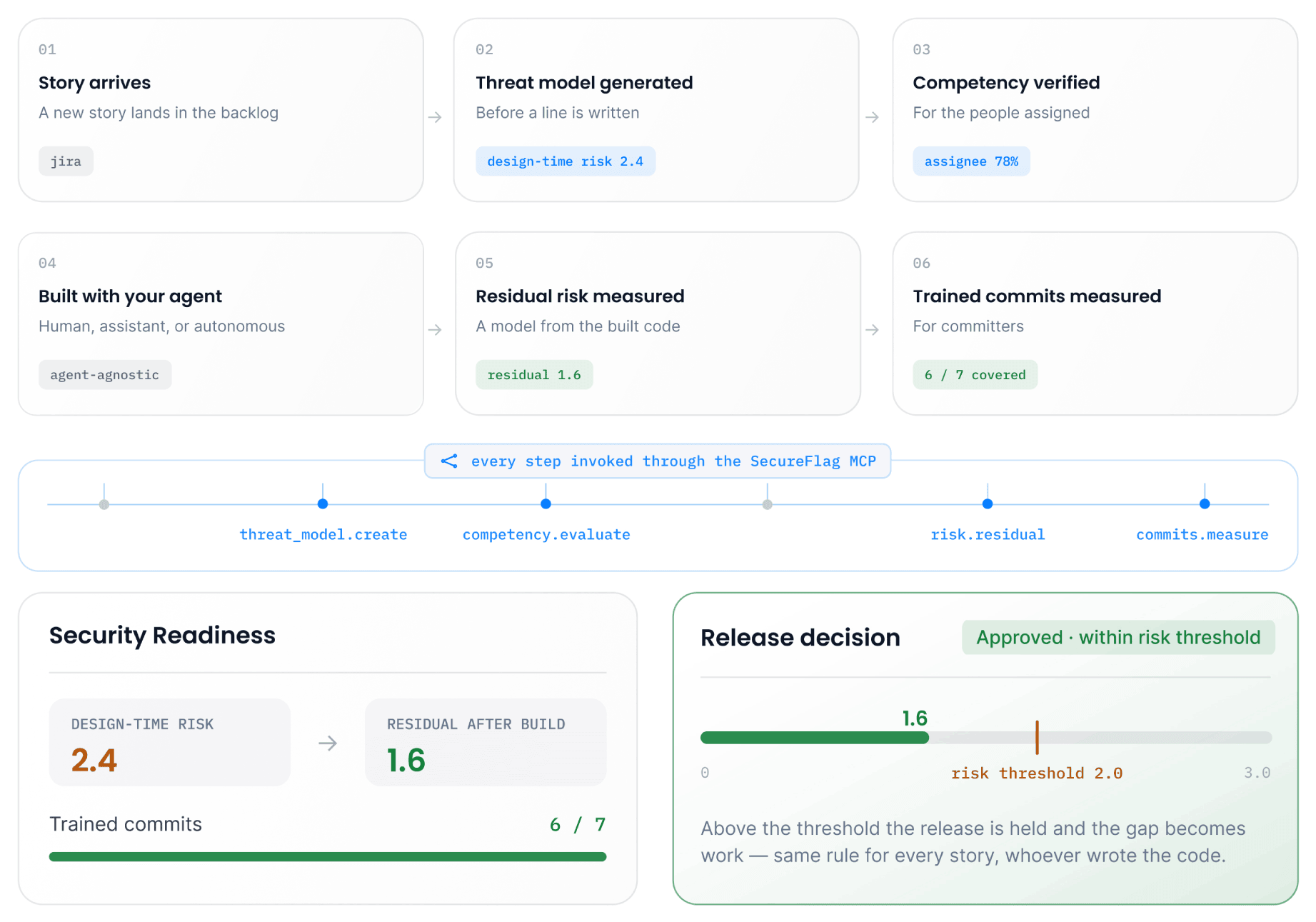
A new story arrives in Jira, or in whatever system the team uses to manage its own workflow.
-
SecureFlag generates a threat model for the story and evaluates the assigned developer’s security competency against the risks involved.
-
The team builds the code with the coding agent it uses.
-
Once the code is built, SecureFlag generates a second threat model from the finished code to measure the remaining risk.
-
The team can see which commits were made by developers trained in the relevant risks, and decide whether to release based on a risk threshold defined in advance.
Every story follows the same security process, at the speed AI-assisted development moves, with evidence that it happened.
Why bring security into AI workflows?
No context switching
Security guidance is available in the tools developers and agents already use, with no separate app to open or extra steps.
Broader threat modeling coverage
On-demand and automated threat modeling makes it practical to analyze more projects and features as systems evolve, rather than relying on periodic reviews of a small number of applications.
Identify risks earlier
Finding security issues while a feature is still being designed and written is faster and less costly than addressing them later in the lifecycle.
Build practical security skills
When training matches the work developers are doing, they can focus on relevant vulnerabilities and practices. Hands-on labs then let them put that knowledge into practice, rather than working through generic modules.
Apply the same process to every story
As AI-assisted development increases the amount of code teams ship, keeping up with security reviews becomes harder. Automating security activities across stories and releases reduces reliance on people remembering to initiate them.
Connect SecureFlag MCP
Developers don’t need to deploy anything themselves. Each person connects their AI assistant to SecureFlag once, signs in with their own SecureFlag account, and everything they do runs with their own permissions. Setup takes about a minute.
SecureFlag can also connect to Jira and other team tools, allowing security activities to run automatically as part of the delivery process.
Check out our documentation for connection instructions.
Security skills built into the development workflow
SecureFlag helps organizations build secure software through hands-on labs covering more than 70 programming languages and frameworks, automated threat modeling with ThreatCanvas, and structured learning paths covering secure coding, agentic AI and LLM security, and more.
The MCP server connects these capabilities to the tools where development happens, whether the code is written by a developer or by an agent working alongside them.