
Part 2 of the SecureFlag MCP Server series
Security training often happens separately from the work developers are busy with. Courses are assigned months in advance based on generic topics, without knowing what developers will be working on when the training arrives. It makes it hard to connect the training to the code in front of them.
The SecureFlag MCP Server brings training into AI coding assistants, such as Claude Code, so training can happen where developers already work. As developers write code, SecureFlag looks at the technologies and patterns involved and recommends hands-on labs where they can practice fixing vulnerabilities relevant to what they are building.
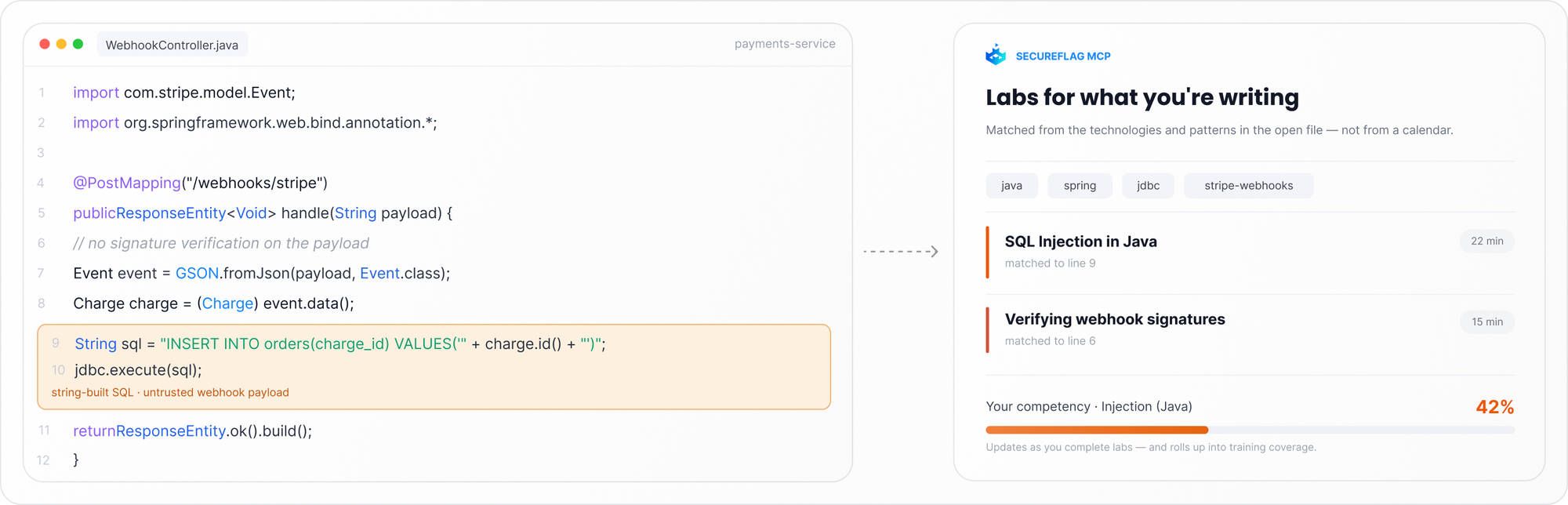
How a lab recommendation works
Let’s say a developer is adding a database-backed search feature to an application. Instead of waiting for the next scheduled course, they can ask their assistant, “Which security training should I do for this feature?”
SecureFlag uses the feature description and the project’s programming language and framework to identify relevant security topics and recommend training. For a search feature that pulls user input directly into a database query, that potential risk is usually SQL injection.
The developer gets a short explanation along with relevant training recommendations, including knowledge-base articles and hands-on labs. One click opens the lab, where they can practice applying the fix while the feature is still new, instead of learning about it weeks later in a separate course.
Matching training to what a developer knows
Recommendations aren’t the same for every developer, as SecureFlag shows what the developer has already learned about a specific risk based on labs they have completed.
For example, a developer who has already completed SQL injection labs on a past project will see that taken into account, and the next recommendation can suggest areas where their recent training accuracy is lower, instead of repeating material they already know.
The same applies across any risk category. A developer building a service that fetches user-supplied webhook URLs might ask which training to take, and if their accuracy on input validation is lower than in other areas, the recommendation reflects that by recommending labs on that specific risk first.
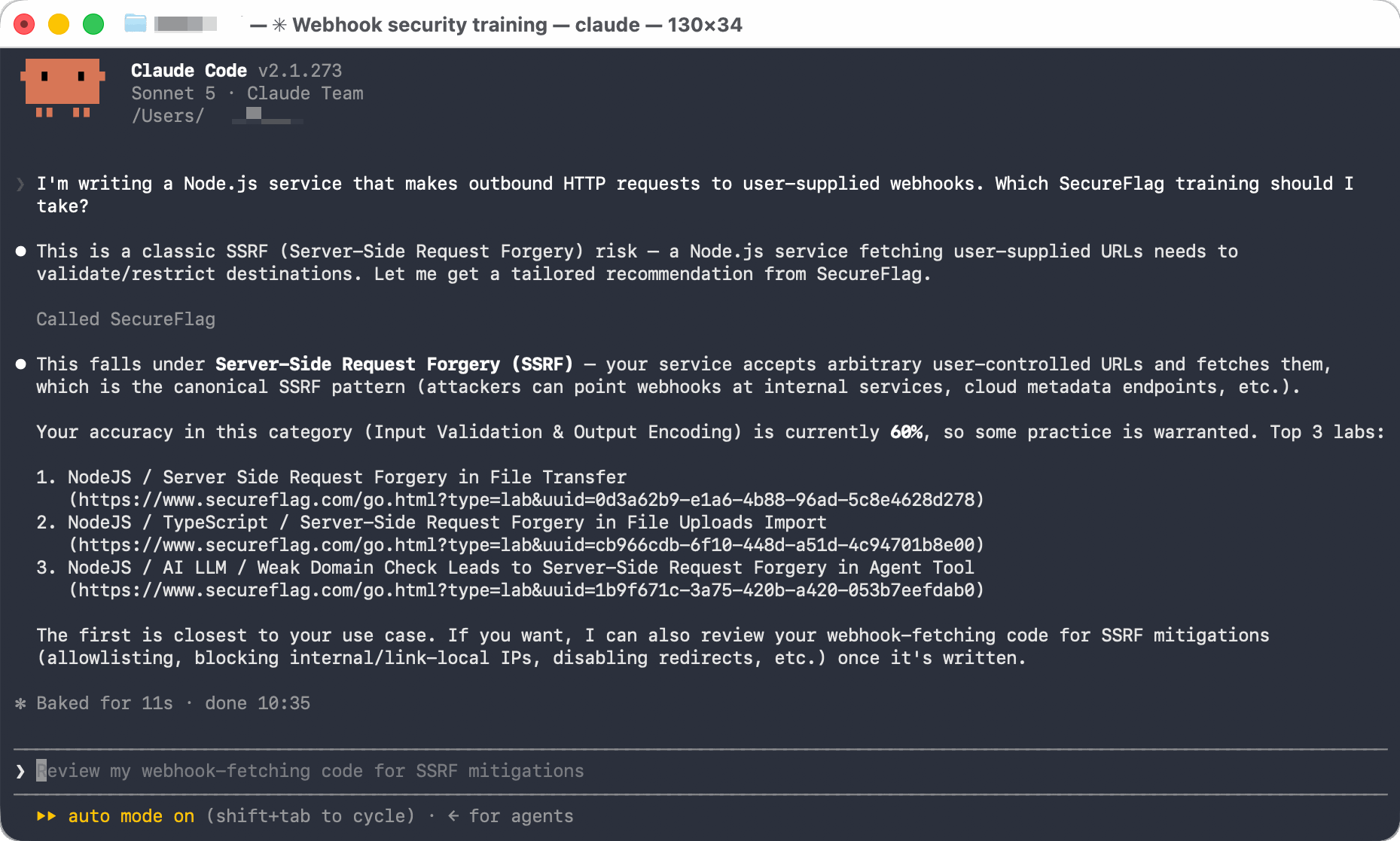
When an agent writes the code
The recommendation is based on the feature being built and the developer’s own competency, not on who wrote the code. A developer can ask which training is relevant to a feature, even when an agent is writing the code. SecureFlag identifies the security topics involved and uses the developer’s existing competency to recommend relevant training.
It allows developers to build the knowledge they need to review agent-generated code, including risks they may not have worked with before.
Training based on threat model risks
Training recommendations can also start with the risks identified in a threat model. Developers can ask for training based on the highest-rated risks in a model, and SecureFlag recommends relevant training for each one.
The value of learning in context
When training is scheduled, it provides broad, general coverage, which is useful for meeting compliance requirements. However, contextual training makes sure that what developers learn is relevant to what they are currently building.
An annual course has to cover many topics because it doesn’t know in advance what any individual developer will be working on in the months ahead. The problem is that when a course covers many topics, each one gets less time and attention, and might not be retained.
Tracking training across a team
Security leaders can see what developers have practiced without having to track course completions separately. Each lab completed through the MCP server is recorded in SecureFlag, using the same training record as the rest of the platform.
It provides an up-to-date view of the specific security risks developers have worked on, which gives more insight than completion rates. Another benefit is that the same training record can also be used to check training against specific Jira work items.
Administrators can also request training for a specific developer, based on the developer’s own training history.
Getting started
After connecting the SecureFlag MCP Server to an AI coding assistant such as Claude Code or Codex, developers can ask for a training recommendation whenever they need one while writing or reviewing code. No separate setup is needed.
Security skills when developers need them
SecureFlag gives development teams access to thousands of hands-on labs across more than 70 programming languages and frameworks, along with hundreds of structured learning paths covering everything from secure coding to AI and LLM security. These training capabilities are part of the same platform as automated threat modeling through ThreatCanvas. For how this compares with the other main vendor in the category, read SecureFlag vs Secure Code Warrior.
With the MCP server connected, developers can get relevant training while they are working, so security learning happens in the context of the code rather than in a separate scheduled course.