Part of the AI-Assisted Development Labs series
AI coding assistants are really useful for producing functional code, but a big challenge is that they don’t come with security built in by default. Secure output depends on how developers guide and interact with them.
This is the first in a series of posts exploring the skills covered in SecureFlag’s AI-Assisted Development Labs. Each one focuses on a practical aspect of working securely with AI, beginning with the most fundamental step, prompting an AI assistant to produce secure code.
The Problem with Trusting AI Output
An important point to understand is that AI assistants generate code based on developer input and present it with authority, even if it’s subtly flawed. If a prompt doesn’t include security requirements, there’s a good chance the output won’t reflect them either.
Developers are used to trusting tools that do what they’re designed to do. However, AI assistants don’t write secure code unless it’s specifically part of the input.
Guiding AI to Write Secure Code
Even though development teams are no longer the only authors of code, they are still accountable for what gets deployed. They need to learn how to:
-
Give clear, explicit prompts that include security requirements from the start.
-
Use plan mode (a read-only environment) to outline an approach before any code is written, catching potential security issues early.
-
Apply incremental version control and review checkpoints so every AI-generated change can be audited.
Without these steps, the AI assistant will produce code that might look and work fine, but still contain vulnerabilities.
Making Security Part of the Process
Following a consistent process keeps AI-generated code maintainable and easier to review. For development teams, it’s a good idea to:
-
Test first: Ask the AI to write tests covering what the code should do and what it should reject. Manually review the tests so AI can then write the code accordingly.
-
Use iterative self-review: Teach the AI to review and improve its own output, reducing errors before code reaches production.
-
Integrate code review: Make security reviews part of the AI workflow, not something that happens only afterward.
What Happens When AI Goes Unguided
The more AI-generated code is used, the greater the risk of security issues, and most teams haven’t had any formal training on how to prevent them.
-
AI-generated code can introduce vulnerabilities faster than traditional code reviews can catch them.
-
Without guidance, insecure patterns can spread across multiple projects over time.
-
Development speed goes up, but the security risk grows just as quickly.
-
Security scanning, such as static analysis, helps, but it doesn’t teach developers how to prevent problems in the first place.
The answer is security training to provide effective prompts for AI assistants, find problems in the code they produce, and, importantly, how to fix issues properly when they do get through.
Examples from the Labs
The AI-Assisted Development Labs are based on realistic scenarios that developers could face. For example, they might:
-
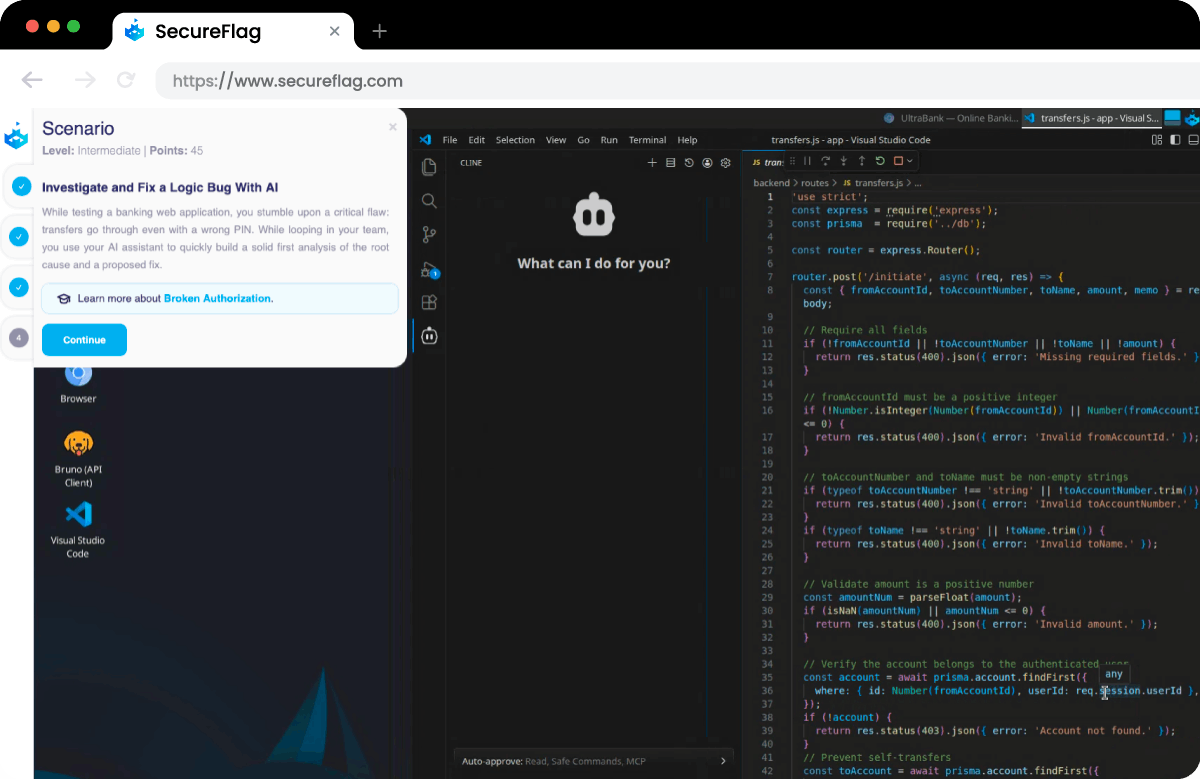
Investigate and fix a logic flaw with AI assistance, analyze why a transaction fails, and guide the assistant to implement a secure fix.
-
Identify and mitigate prompt injection risks, in which an AI assistant is manipulated by external content to execute unintended or unsafe actions.
-
Trace a reported XSS vulnerability with AI assistance, narrow down the affected area from a user report, and resolve the underlying issue in the code.
Every scenario is practical and built around real-life attack patterns, rather than just being theoretical exercises.
Training Teams for AI-Assisted Development
SecureFlag is the first platform to offer hands-on training specifically built for AI-assisted development. Developers learn how to work with AI assistants in a controlled, consistent way, reducing the risk of vulnerabilities while maintaining productivity.
The labs are available today, with more on the way. Teams can start building secure AI practices now, while security leaders gain measurable insight into how those skills are developing across the organization.
Ready to see the AI-Assisted Labs in action?
Book a demo.