

Linux is widely deployed across critical infrastructure, but recent vulnerabilities have shown that primary components can still be compromised. For example, last year, a flaw was discovered in sudo that allowed anyone with basic system access to elevate to full administrative control.
The problem with these kinds of issues is that they often blend into normal system activity, so it’s hard to tell the difference between legitimate administrative actions and suspicious behavior. The new “Introduction to Linux Security Learning Path” builds a foundation for investigating and securing Linux systems, including hands-on labs.

The Importance of Linux Security
Linux runs a huge proportion of the world’s servers, cloud infrastructure, and development tools. When a security incident occurs on one of those systems, teams need to respond quickly, which depends on knowing exactly where to investigate.
When there’s a compromise, the signs are not always obvious. For example, there might be an account with more access than it should have, a login that doesn’t really match expected patterns, or activity records that are easy to overlook.
To identify these vulnerabilities, analysts need a deeper understanding of how Linux works internally, including permissions, authentication, and logging.
The Challenges Security Teams Face
There are a few Linux-specific challenges that tend to show up repeatedly in security operations:
-
Gaining unauthorized access: Linux systems have many layers of permissions and user controls. When any of them are misconfigured, attackers can exploit this to gain more access than they should have, sometimes all the way to full control of the system.
-
Log volume and fragmentation: System activity is recorded across multiple locations in Linux. If there’s no understanding of where to look and what’s important, critical warning signs can be missed.
-
Authentication complexity: The mechanisms that control who can log in and what they can do, such as passwords, keys, access policies, and user groups, all interact with each other. A weakness in one area can undermine the rest.
-
Insecure defaults: Linux systems in their default state are rarely as secure as they could be. Knowing what to switch off, what to restrict, and which protective tools to put in place takes hands-on familiarity with the system.
Inside the New Learning Path
The learning path provides a structured, end-to-end introduction to Linux security, beginning with the fundamentals.
-
Linux architecture: Starting with the foundations, this section covers how processes and services interact. A proper understanding of the system’s architecture makes everything that follows easier to apply in practice.
-
Access control and authentication: Explore the mechanisms that control who can do what on a Linux system, from user and group management to login security and access policies. The accompanying lab puts these concepts into practice in realistic scenarios.
-
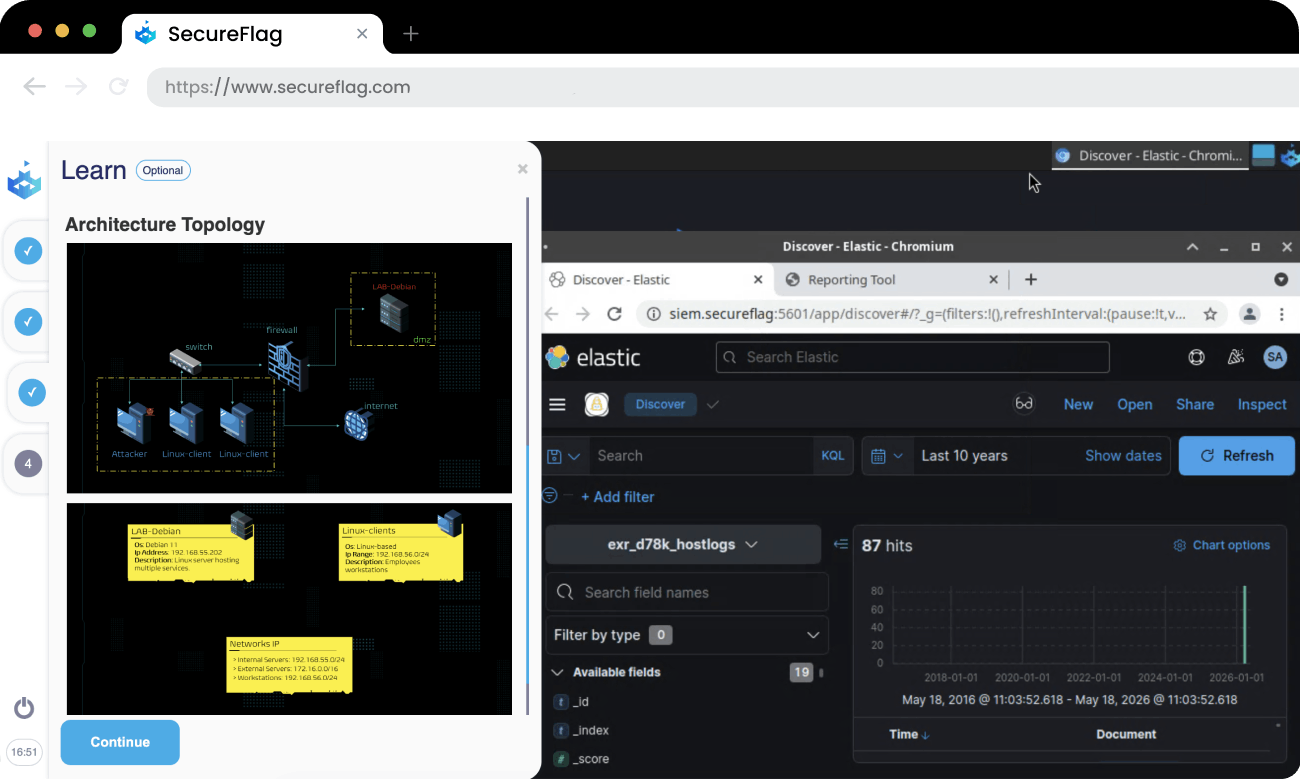
Linux System Hardening: Learn how to reduce the opportunities an attacker has to get in, using firewalls, keeping software up to date, monitoring for open network entry points, and defending against automated login attacks. The lab focuses on investigating a brute-force attack and analyzing logs to determine whether the defenses held.
-
Logging and Monitoring: Understand how Linux records system activity, which records are most critical, and how to use monitoring tools to detect unauthorized changes. The hands-on lab focuses on investigating a compromised system to determine what was altered and how.
Practical Linux Security Skills
After working through each module and completing the labs, you’ll be able to:
-
Understand how Linux is built: How the kernel manages resources, how processes and users are isolated, and how the filesystem is organized.
-
Read and interpret access control systems: Learn how users, groups, and file permissions work, how PAM handles authentication, and how sudo and SSH are configured.
-
Recognize what a hardened Linux system looks like: Understand patch management practices, firewall rules, and brute-force defenses so you can assess whether a system is properly protected.
-
Make sense of Linux logs: Know where authentication, system, and service events are recorded, what they contain, and how to connect events across different log sources.
-
Investigate suspicious activity: Analyze authentication logs to reconstruct privilege escalation attempts, use file integrity tools to detect unauthorized changes, and piece together an attacker’s actions from the evidence left behind.
How SecureFlag Supports SOC Training
SecureFlag’s learning paths are built for security professionals who learn by doing. Every module combines clear explanations with hands-on labs that reflect real-world environments, so analysts can build the skills they can use on the job.
This learning path is part of SecureFlag’s ongoing effort to help security teams develop secure, practical expertise across the systems they defend every day.