
AI incidents increased 56% in 2025, and that number is only going up as organizations deploy more LLMs and autonomous agents. The attack surface is growing quickly, and one way to reduce this risk is through threat modeling.
The STRIDE threat model doesn’t solve every problem, but it helps teams identify threats early in the design process, before they turn into costly security issues.
What Is the STRIDE Threat Model?
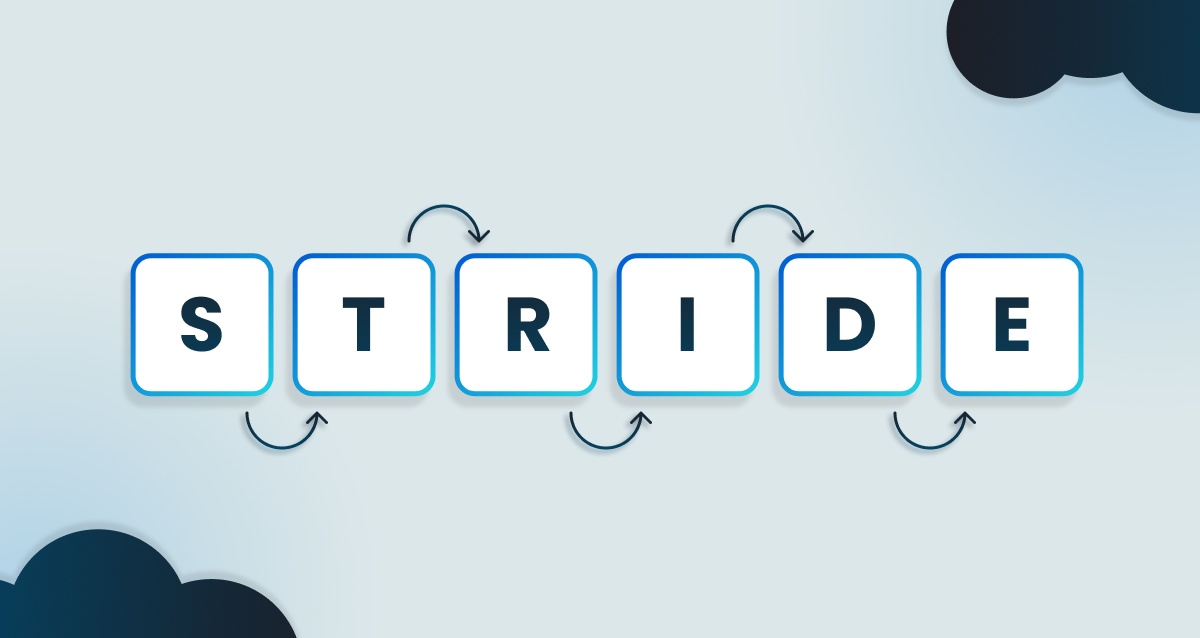
STRIDE is a threat modeling methodology developed by Microsoft. It groups security threats into six types, which are Spoofing, Tampering, Repudiation, Information Disclosure, Denial of Service, and Elevation of Privilege. Teams use it during software design to identify potential issues before any code is written.
The framework has been around since 1999 and is still in use today, as research shows that 88% of organizations align with STRIDE for threat modeling. STRIDE’s approach is still relevant, even with emerging AI security issues.
Teams use STRIDE by first creating data flow diagrams that map out processes, data stores, and trust boundaries. Then they walk through each element and work out which of the six threat categories could apply to it.
Why STRIDE Is Important for Secure by Design Development
Finding security issues after deployment is much more expensive and disruptive. STRIDE shifts that discovery earlier by embedding threat identification into the design stage, when changes are more cost-effective to make.
Some of the advantages of the framework include:
-
Proactive threat identification: Risks are raised at design time, not after deployment.
-
Structured categorization: Threats are organized systematically, so nothing gets overlooked.
-
Developer accessibility: The framework does not require advanced security expertise to use.
-
Compliance alignment: STRIDE maps well to standards and requirements such as the OWASP Top 10 and PCI DSS.
Instead of reacting to vulnerabilities found by scanners or penetration testers, teams can proactively design defenses into the architecture from the start.
The Six Categories of the STRIDE Threat Model
The six STRIDE categories correspond with security properties, and understanding them helps teams analyze threats across any system architecture.
1. Spoofing
When an attacker gets access by pretending to be a legitimate user, system, or service, that’s what’s known as spoofing. Examples of this include stolen credentials, forged authentication tokens, and session hijacking.
Defenses against this kind of attack are all about making sure identities are real. That usually means using stronger authentication, adding multi-factor authentication (MFA), relying on digital certificates, and properly validating API keys.
2. Tampering
Any unauthorized changes to data or code are tampering, such as altering database records and modifying files while they’re being transmitted, or even injecting malicious code into an application.
It’s a good idea to use input validation, digital signatures, cryptographic hashing, and encryption protocols like TLS to secure data in transit.
3. Repudiation
If a user denies they did some action and there’s no proof to the contrary, that’s a repudiation threat. A user might claim they never made a transaction, or an attacker could erase logs to cover their tracks.
For teams to prove what happened and who performed an action, they need reliable methods with controls such as audit logs, digital signatures, and tamper-evident records. Storage systems should also be used that can prevent logs from being altered or deleted.
4. Information Disclosure
Sensitive data that gets exposed to unauthorized parties is called information disclosure. That might include leaking personally identifiable information (PII), exposing API keys in error messages, or returning overly detailed debugging information to users.
It’s essential that teams don’t expose more data than necessary, using controls such as encryption at rest and in transit, access control lists, data masking, and proper error management.
5. Denial of Service
Sometimes systems become unavailable as a result of deliberate disruption from attackers. The goal of Denial of service (DoS) threats is to make systems unavailable to legitimate users, for example exhausting server resources and flooding endpoints with requests.
Keeping systems up and running usually means using a mix of controls such as rate limiting, load balancing, redundancy, traffic filtering, and input validation on resource-heavy operations.
6. Elevation of Privilege
Sometimes a user gets more access than they should have, known as elevation of privilege. Attackers try to get higher access levels than authorized by exploiting vulnerabilities to obtain admin rights or manipulate role assignments to escalate permissions.
To prevent this, users only have the access they need. Controls include the principle of least privilege, role-based access control (RBAC), secure session management, and proper sandboxing.
How to Apply STRIDE with Data Flow Diagrams
STRIDE is most effective when used with data flow diagrams (DFDs) that visualize how data moves through a system. The approach known as “STRIDE-per-element” applies threat categories to each component systematically.
Step 1. Map the System and Trust Boundaries
As a first step, teams should map everything that interacts with the system, such as external users, services, data stores, and the flows between them. Also, it’s important to pay special attention to the trust boundaries (the points where access levels change), as that’s where attacks usually happen.
Step 2. Decompose Data Flows and Assets
Then, the next step is to break down each data flow to understand what information moves between components. As an example, a login flow could move credentials from a user interface to an authentication service and then to a database. It helps identify which assets are most valuable and the paths attackers could target.
Step 3. Identify Threats Per Element
After that’s done, go through each element on the diagram and apply STRIDE categories. For a login process, teams might check to see if someone can spoof a legitimate user or if they can tamper with credentials in transit. Another one to ask is if there’s logging to prevent repudiation.
Step 4. Rate Risks and Assign Controls
Not all threats are equally serious, so that’s why it’s best to prioritize based on how risky they are and how much damage they could cause. From there, assign security controls to each one. Some teams bring in complementary frameworks like DREAD to help with that scoring.
Step 5. Validate and Track Findings
Once threats have been identified and prioritized, review the findings with the main stakeholders and document everything in a threat model report. It also helps to track mitigations in a ticketing system like Jira or Azure DevOps.
How STRIDE Adapts to AI and LLM Systems
Traditional STRIDE categories are still relevant to AI systems, but they look a little different in practice. Model behavior is probabilistic, training data introduces new attack surfaces, and agentic AI introduces autonomous decision-making risks that traditional software simply doesn’t have.
Newer frameworks, such as ASTRIDE, extend STRIDE to cover these AI-specific threats. Here’s how the categories look for AI and LLM systems.
Spoofing in AI Systems
Attackers may impersonate trusted data sources or users to manipulate what the AI receives as input. Adversarial prompts can also trick an LLM into treating malicious instructions as if they came from a legitimate system command.
Tampering With Models and Training Data
What happens in data poisoning attacks is that bad actors corrupt training data to influence model behavior in a specific direction. Tampering can alter how the model behaves, planting backdoors that only activate under specific conditions.
Repudiation in Autonomous Agents
Agentic AI can take actions without leaving an audit trail, which makes accountability difficult. The more an agent interacts with external systems, the more important it becomes to have traceability built in from the start.
Information Disclosure From LLM Outputs
One of the big risks with LLMs is that they can reveal sensitive training data, PII, or proprietary information in their responses without any warning. With prompt injection, attackers can go further and extract confidential content that the system was never meant to show.
Denial of Service Against AI Workloads
When prompts are deliberately complex or resource-intensive, they can slow down or overwhelm an AI system. An attacker might flood it with requests, so that it becomes unavailable for legitimate users. It’s the same principle as a traditional denial-of-service attack, but applied to AI systems.
Elevation of Privilege in Agentic AI
In agentic AI systems, elevation of privilege is not always about gaining new permissions. More often, the risk comes from manipulating an agent into misusing the tools and system access it already has.
Attackers may use prompt injection to influence an agent into performing unintended actions, such as invoking API calls or interacting with connected systems, or actions they were never intended to carry out through MCP-style tool integrations.
To reduce this risk, it’s important to tightly control tool access, validate instructions before execution, and put strong guardrails around external system interactions.
STRIDE Compared to Other Threat Modeling Frameworks
STRIDE isn’t the only way to approach threat modeling. There are various frameworks to solve different problems, so knowing when to use each one helps teams choose the right one (or combination) for their context.
STRIDE vs PASTA
PASTA (Process for Attack Simulation and Threat Analysis) takes a more attack-simulation and business-risk-driven approach. STRIDE, on the other hand, is lighter and easier for developers to pick up.
Teams often use both. STRIDE can be used to quickly identify threats early, and PASTA when deeper, risk-focused analysis is needed.
STRIDE vs LINDDUN
LINDDUN is built specifically around privacy threats, including concepts like Linkability, Identifiability, and Non-repudiation.
If privacy is a main concern, particularly in regulated environments such as HIPAA or GDPR, it makes sense to use LINDDUN with STRIDE for wider coverage.
STRIDE vs DREAD
DREAD (Damage, Reproducibility, Exploitability, Affected users, Discoverability) is a risk-rating system, not a threat identification framework. STRIDE identifies threats; DREAD scores them. The two complement each other well.
STRIDE vs VAST
VAST (Visual, Agile, and Simple Threat Modeling) is designed to scale across large, fast-moving organizations.
STRIDE provides a more detailed breakdown when categorizing individual threats, while VAST keeps things higher-level and more operational, making it better suited for organization-wide insights.
STRIDE and RaD-TM
STRIDE can be difficult to scale when threat modeling is performed only at the system level. SecureFlag’s RaD-TM approach complements STRIDE by encouraging developers to model threats at the feature level, making threat modeling easier to integrate into day-to-day development workflows.
Limitations of the STRIDE Framework
No framework is perfect, and STRIDE has some limitations that are worth mentioning:
-
No built-in prioritization: STRIDE helps identify threats, but it doesn’t rank them by severity.
-
Requires system knowledge: Teams need accurate diagrams and a good understanding of the architecture to get useful results.
-
Manual effort: Traditional STRIDE exercises are time-consuming without automation.
-
Limited privacy focus: STRIDE doesn’t address privacy-specific threats the way LINDDUN does.
Combining STRIDE with other frameworks and automation tools helps address many of these limitations.
STRIDE Threat Modeling Templates and Tools
It’s helpful to use threat modeling templates, which give teams a ready-made structure to work from, guiding STRIDE analysis with prompts, checklists, and documentation formats. When templates align with frameworks such as the OWASP Top 10, PCI DSS, and HIPAA, they can also help speed up compliance efforts by making it easier to map and document requirements.
Common tools include Microsoft Threat Modeling Tool and OWASP Threat Dragon. Modern platforms such as ThreatCanvas offer a dedicated STRIDE risk template that automates much of the manual work.
Best Practices for Running STRIDE in Modern SDLCs
Making STRIDE work in fast-moving development environments requires some practical adjustments.
Start at the Design Phase
Conduct threat modeling before writing code and revisit the model whenever the architecture changes significantly. A threat model created once and never updated quickly becomes outdated.
Automate Diagram Generation From Code and Text
Manually creating data flow diagrams takes a lot of time and effort, so it’s a good idea to use tools that generate them from Infrastructure as Code, textual descriptions, or existing architecture images.
Connect Threats to Hands-On Developer Training
Once a threat is identified, then what? Connecting threats to practical training helps developers understand the vulnerability and how to prevent it. Linking identified threats to secure coding practices builds lasting skills.
Integrate Findings With Jira and Azure DevOps
Identified threats become easier to manage when they’re exported as tickets for tracking. Mitigations can then be assigned, prioritized, and closed within existing workflows rather than sitting in a separate document.
Review and Update Models Continuously
Threat models are living documents that evolve as the system changes, new features ship, or new threat intelligence emerges.
Scaling STRIDE Threat Modeling with ThreatCanvas
Traditional STRIDE exercises often slow teams down because they need a lot of manual effort and specialized expertise. SecureFlag’s ThreatCanvas helps remove that effort by automating the most time-consuming parts of the process.
-
Automated model generation: Creates threat models in seconds from text, images, diagrams, Infrastructure as Code, or directly from a code repository.
-
Dedicated STRIDE risk template: Pre-built template aligned with STRIDE categories for fast, consistent analysis.
-
Framework flexibility: Also supports OWASP Top 10, PCI DSS, HIPAA, LINDDUN, custom templates, and many more.
-
Integration with developer workflows: Connects with Jira and Azure DevOps so teams can track and manage threats within their existing workflows.
-
Training alignment: Threats that are identified link directly to SecureFlag’s hands-on training labs.
-
Collaboration features: Save, share, version history, and PDF/Markdown report generation.
Book a demo to see ThreatCanvas in action.
FAQs About STRIDE Threat Modeling
Is STRIDE still relevant for cloud native applications?
STRIDE remains highly relevant because its six threat categories can be applied to any architecture, including microservices, containers, and serverless environments. Teams adapt STRIDE to cloud-specific components like APIs, identity services, and managed data stores.
Can STRIDE threat modeling be automated?
Some tools can automate diagram generation and threat suggestion, greatly reducing manual effort. Platforms such as ThreatCanvas can generate threat models aligned with STRIDE from textual descriptions, diagrams, or Infrastructure as Code.
How does STRIDE align with OWASP standards?
STRIDE categories map closely to vulnerabilities in the OWASP Top 10, making it simpler to connect identified threats to recognized security weaknesses and recommended controls.
Does STRIDE work for agile and DevOps teams?
STRIDE integrates well into agile workflows when combined with automation and lightweight, iterative threat modeling sessions. Teams can run focused STRIDE reviews per sprint or feature instead of one large monolithic analysis.