
As AI coding assistants are now part of how software gets written, including tools such as GitHub Copilot, Cursor, and Claude Code, the challenge is choosing the AI coding assistant that balances productivity and security for developers.
The obvious approach is to compare the models behind these tools and look for the one that produces the safest code. It’s not that easy, though, as coding assistants differ in how much of the development environment they can access, what actions they can take, and how developers review the code they produce.
So what does the available security research tell us, and what should teams look at when comparing these tools?
AI coding models don’t guarantee secure code
In the Veracode 2026 GenAI Code Security Report, more than 100 models were tested on coding tasks in Java, JavaScript, C#, and Python. Across the tests, models produced secure code in only 56% of cases. That figure has stayed fairly consistent over the past four years, even as models have become better at generating working code.
Coding-specific models also did not perform noticeably better than general-purpose models. They had a 51% security pass rate compared with 52% for general-purpose models.
Even the highest-performing model reached a 68% security pass rate, meaning it still produced insecure code in almost one-third of the tests.
It doesn’t mean model choice is irrelevant, but that choosing a coding-specific model does not, on its own, make the resulting code more secure. The security of the development workflow depends on what happens after the model generates the code as well.
Comparing the major AI coding assistants
The main AI coding assistants don’t all work the same way, as some are built into developers’ existing tools, while others take a more hands-on approach to working with the codebase. These differences need to be taken into account when thinking about security.
GitHub Copilot
Many developers first encountered GitHub Copilot as a code completion tool in their editor. It has since expanded into a broader development assistant, with support across IDEs, GitHub, and the command line. Its agentic features allow it to take on more of the development process, including reviewing code and making changes across a project.
That can introduce additional security risks when Copilot is given permission to act on a repository. An agent could make changes directly, for example, so teams need to understand when those actions require approval and what permissions the agent has.
GitHub provides permission controls and approval prompts for actions taken through the command line, giving teams ways to limit what Copilot can do.
Cursor
Cursor is a little different from the others here. It’s not an add-on to an existing code editor; it’s a full editor on its own that developers install instead of the one they were using before.
Its agentic capabilities can read and modify code, run terminal commands, search the web, and work across a codebase. Its run modes determine when actions require approval, while sandboxing provides additional controls for some operations.
Data handling is another area to look at. Cursor’s documentation says that prompts and code context can be sent to model providers, while Privacy Mode prevents code from being used for model training.
For teams evaluating Cursor, the key questions are what information is shared with model providers and which permissions and execution controls are enabled.
Claude Code
Claude Code takes a terminal-based approach to AI-assisted development. It can work with a developer’s codebase and carry out development tasks through the command line.
However, the terminal can give the assistant access to parts of the development environment beyond the codebase. Its configuration controls what files it can access and which commands or tools it can use. Claude Code uses permission settings to decide when a tool can be used without asking for approval.
Teams can configure these permissions for specific tools and commands, giving them control over which actions Claude Code can take automatically.
Gemini Code Assist
Gemini Code Assist provides AI assistance for coding tasks in supported development environments, including code generation, completion, and conversational assistance.
The assistant can be scoped to specific files or folders that a developer selects, rather than automatically using the entire codebase as context. Google’s policy is that customer prompts and responses aren’t used to train Gemini models, while enterprise customers have additional administrative access controls.
For code review, Gemini Code Assist integrates directly with GitHub, where it can review pull requests and add feedback within the existing review workflow.
Amazon Q Developer
Amazon Q Developer gives AI assistance in software development workflows and can work with code in IDE and command-line environments. Its capabilities include code generation, debugging, testing, and agentic development.
For teams using AWS, it’s also important to understand what the assistant can access within the AWS environment, so its permissions should be checked alongside its coding capabilities.
Understanding those permissions helps teams control what the assistant can do if it is given access to AWS resources.
The table below gives a current overview of where each assistant works and the security controls that should be looked at.
| Assistant | Where it works | What to look at |
| GitHub Copilot | IDE, GitHub, command line | Tool permissions, file access, and approval controls |
| Cursor | IDE, command line | Agent run modes, sandboxing, and data handling |
| Claude Code | IDE, command line | Tool permissions, file access, and command execution |
| Gemini Code Assist | IDE, command line | Context scope, data handling, and GitHub review integration |
| Amazon Q Developer | IDE, command line | AWS access and IAM permissions |
What developers should check
How much can coding assistants see?
AI coding assistants often need project context to produce useful results, which can mean access to source code, documentation, configuration files, and other repository information. What’s important is whether that access is scoped to the task at hand or left wide open, and what information leaves the environment to reach an external model provider.
What happens after it writes the code?
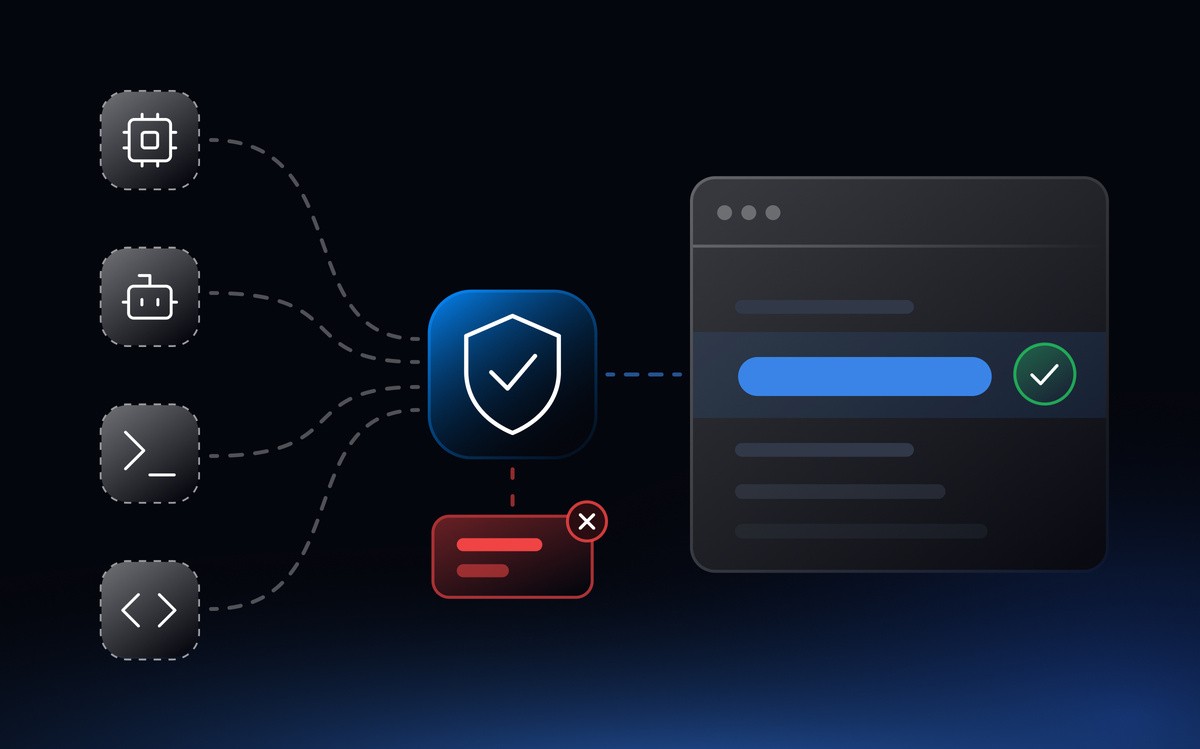
Once an assistant can take actions on its own, its level of autonomy becomes more important. Teams should understand when developer approval is required and how those actions can be reviewed.
Who’s reading the output?
AI-generated code still needs proper review to make sure it does what the application requires and doesn’t introduce security problems. This is especially important when the code handles authentication, authorization, sensitive data, or external input. That review also depends on developers being able to recognize the vulnerability patterns that tend to repeat in generated code.
Does it get checked the same way as other code?
AI-generated code should go through the same checks as any other code. Automated tools such as Static Application Security Testing (SAST) and dependency analysis can catch issues that developers miss during review. The process will vary between teams, but AI-generated code should have the same security checks before deploying to production.
Reviewing AI-generated code takes practice
Developers get better at recognizing vulnerability patterns when they practice working with them. Practical training gives developers the opportunity to see vulnerable implementations, understand how an attacker can exploit them, and apply the correct fix. Repeated practice makes those patterns easier to find when they appear in unfamiliar code.
It’s becoming more relevant as AI takes on more of the coding. Developers may write fewer individual functions themselves while spending more time reviewing, adapting, and integrating generated code.
Secure AI-assisted development with SecureFlag
SecureFlag gives developers hands-on practice across the security challenges introduced by AI-assisted and agentic development. Agentic Coding Labs cover practical skills including secure prompting, reviewing AI-generated code, and working with Model Context Protocol (MCP) integrations. To see how SecureFlag’s AI labs compare with Secure Code Warrior’s, read SecureFlag vs Secure Code Warrior.
SecureFlag also provides hands-on labs covering security risks specific to AI applications and agents. The OWASP Top 10 for LLM Applications and OWASP Top 10 for Agentic Applications labs give developers practical experience with vulnerabilities that can arise when applications rely on large language models and autonomous AI agents.
Additionally, SecureFlag’s MCP Server connects with MCP-compatible AI coding assistants and brings security capabilities into the development workflow.
AI coding assistants can change how developers write software, but they do not remove the need for developers who understand how to secure it.