
Part 3 of the SecureFlag MCP Server series
Threat modeling is most useful when there is still time to act on what it finds. After a feature is built, changing the architecture can require reworking code and retesting the parts that depend on it.
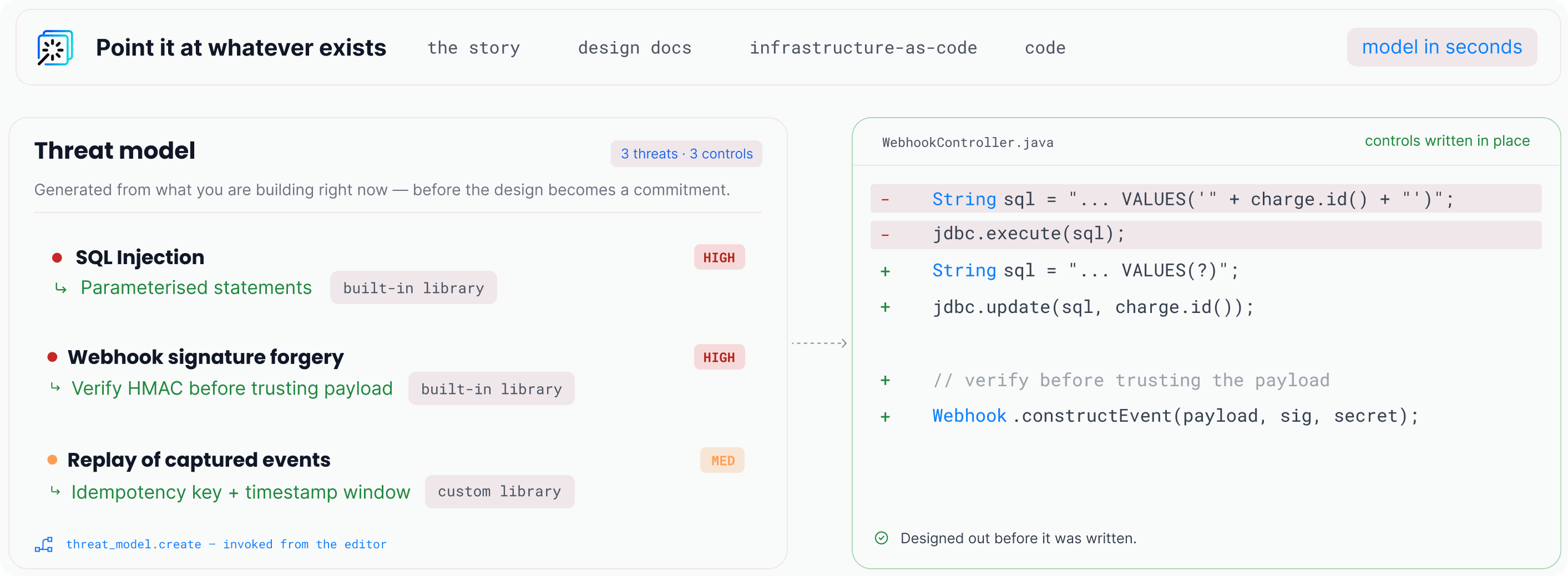
With the SecureFlag MCP Server connected to an AI coding tool such as Claude Code or Codex, developers can request a threat model while designing and building a feature. The assistant sends the relevant architectural context to ThreatCanvas, SecureFlag’s automated threat modeling tool, which identifies threats and the controls that can address them.
How a threat model gets generated
To get started, a developer can simply ask “Threat model this project,” or narrow the request to a specific feature with a prompt such as:
“Threat model the new payment flow and its connection to the payment provider.”
ThreatCanvas can also generate models from a description, a design document, infrastructure as code, or the code itself, depending on what exists when the developer asks.
When code is used, the assistant derives an architectural description of the application, including its components, how they connect, and where trust boundaries exist. The assistant then sends that description to ThreatCanvas, which analyzes the scenario and identifies relevant threats and controls. Importantly, source code itself is never sent to SecureFlag, only this architectural description.
Threat model generation happens in the background and can take a short time to complete. The assistant checks back and reports when the results are ready, so the developer doesn’t have to wait for the analysis to finish.
Connecting risks to controls
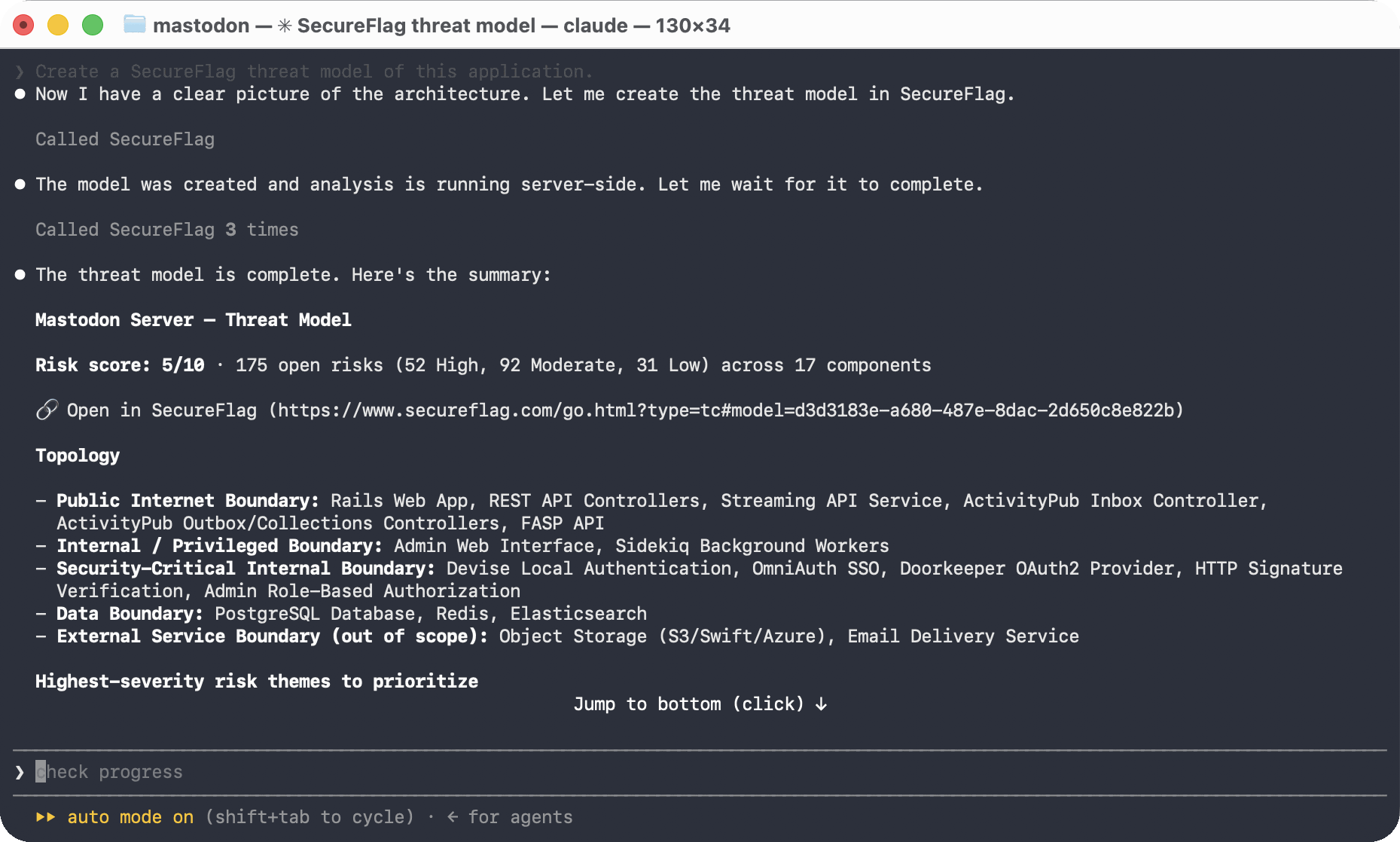
Once a risk has been identified, the next question is how to address it. Each threat SecureFlag identifies is mapped to a control that can help mitigate it, using a library that covers common security risks.
Organizations can also define their own controls, so recommendations reflect the security standards the team already uses rather than generic guidance.
The result is something developers can act on while the feature is still being designed, rather than a list of risks to come back to later.
Acting on risks while the design is flexible
With the threat model available while a feature is still being built, developers can use its findings to make changes while the design is still flexible. Changes made at this stage are generally easier and less costly than changing a feature after it has shipped.
Each threat model comes with a shareable link that opens the full result in ThreatCanvas. Adding that link to a pull request or ticket lets a reviewer or security team member see what was identified and how the risks were addressed, without having to repeat the review process.
Keeping a threat model current
When the architecture changes, developers can update the existing threat model instead of starting over. A developer can ask their assistant to review an incremental change, such as a pull request that adds a new component, and ask for the existing model to be updated.
SecureFlag applies the change to the existing model rather than rebuilding it from scratch, so risk assessments already made on other parts of the system are preserved.
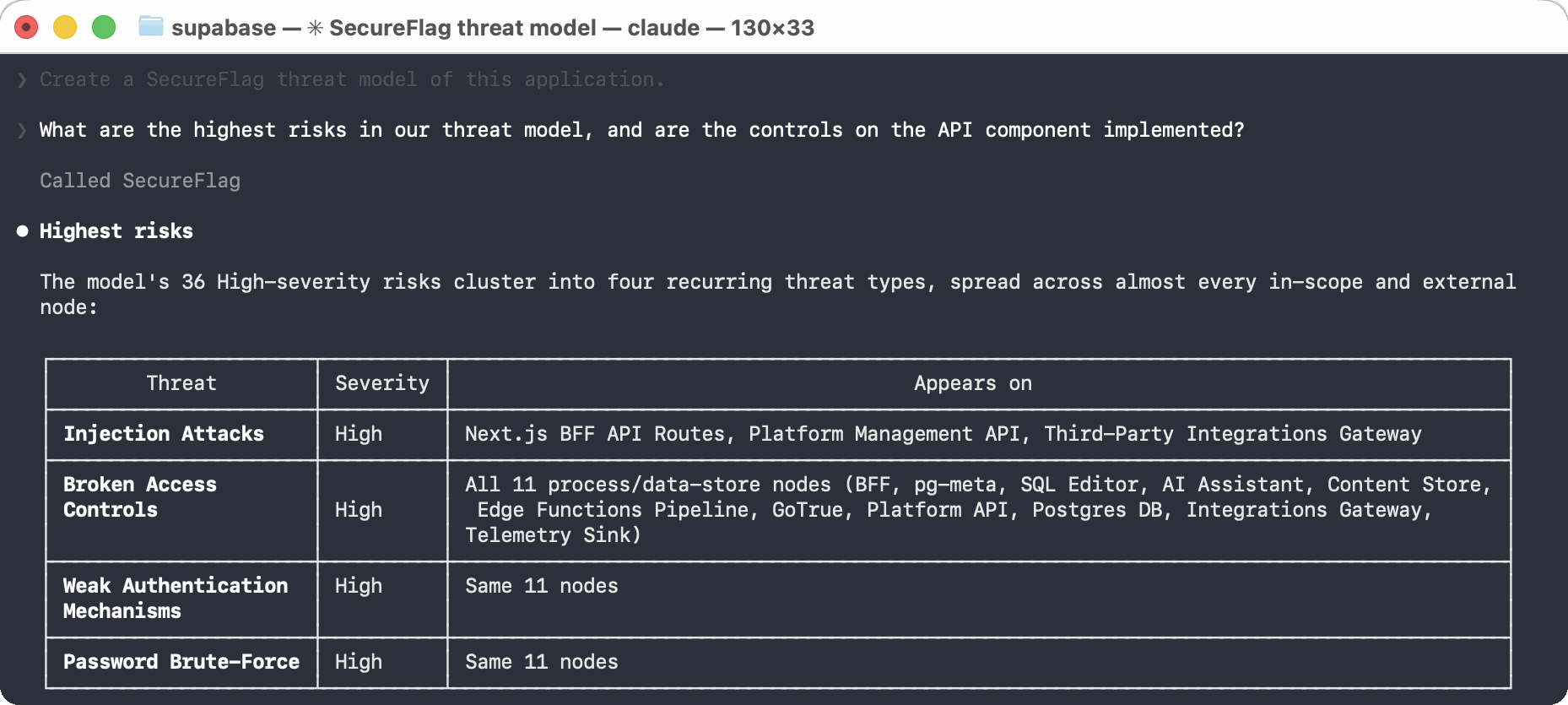
Developers can also ask questions about an existing model, such as which risks are rated highest or whether the controls on a specific component have been implemented. That makes the threat model something a team can keep returning to as the application changes.
Developer-first threat modeling
Traditional threat modeling depends on a specialist, because building a model from a blank page takes training most developers do not have. Generating one through the MCP server removes that dependency, so a developer working on a feature gets a specific threat model without needing specialist guidance.
This does not remove the value of a security specialist reviewing the result, particularly for the most sensitive parts of a system. It changes the starting point so a developer can begin with a threat model and bring security into the design while there is still time to act.
Getting started
For connection instructions, see the SecureFlag MCP Server Quick Guide. Once the server is connected to an AI coding tool such as Claude Code or Codex, a developer can request a threat model at any stage while working.
Catch risks earlier with SecureFlag
SecureFlag’s automated threat modeling through ThreatCanvas covers a wide range of frameworks and threat libraries, alongside thousands of hands-on labs across more than 70 programming languages and structured learning paths for every role.
With the MCP server, developers can threat model as they design and write code, giving security a place in the development process from the start.