
Part 4 of the SecureFlag MCP Server series
Security works best when it happens the same way every time. Today it often depends on who picks up the work, how busy the security team is, or whether someone remembers to request a threat model before the first commit.
As AI-assisted development moves more code through the pipeline, it becomes harder to give every story the same attention. One epic gets a careful review, and the next gets none, simply because the team couldn’t get to it.
With the SecureFlag MCP Server, security checks become a repeatable step in your delivery process. When an epic lands in Jira or another workflow system, the same sequence runs automatically: it collects context, models threats, checks competency, and carries controls into the build. No one has to type a prompt, and no epic is skipped.
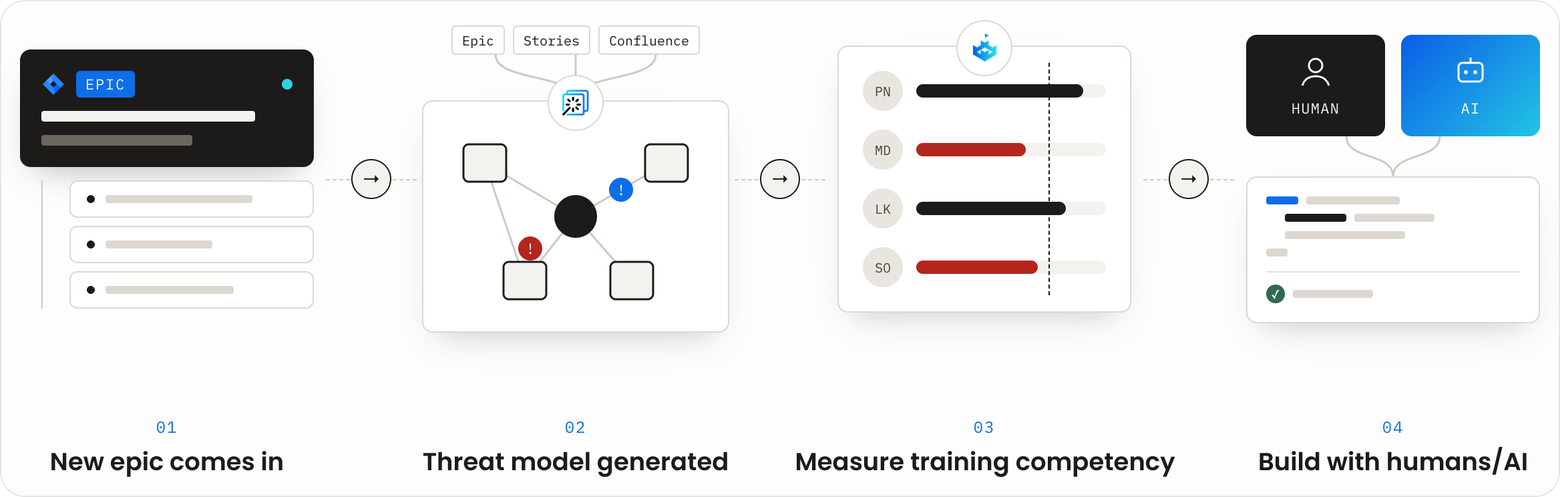
The same four steps, every time
1. A new epic comes in
When a new epic arrives, SecureFlag gathers its full context, not just the epic description. That includes its child stories and subtasks and the Confluence pages linked to the work. Every threat model starts from the same complete picture, rather than whatever a reviewer happened to read.
2. A threat model is generated
From that context, SecureFlag builds a threat model that identifies potential threats and maps each one to the controls that address it. Teams can rely on SecureFlag’s built-in threat libraries or supply their own, so every model reflects the organization’s standards and terminology instead of varying from one reviewer to the next.
3. Training competency is measured
Knowing the threats is only half of it. The people assigned to the work need to understand them, whether they’re writing the code themselves or reviewing code produced by an AI agent. SecureFlag checks each assignee’s competency against the specific risks in the threat model. Where there’s a gap, it assigns targeted training: about ten minutes of hands-on practice in a real environment, so the developer can apply the skill in the work in front of them.
4. Build with humans and AI
Developers, AI coding agents, or both then build the feature with the controls from the threat model embedded directly in the code. Because competency was checked in the previous step, the people writing and reviewing that code are equipped to verify the controls are implemented correctly. Security is built in from the start rather than added at review time.
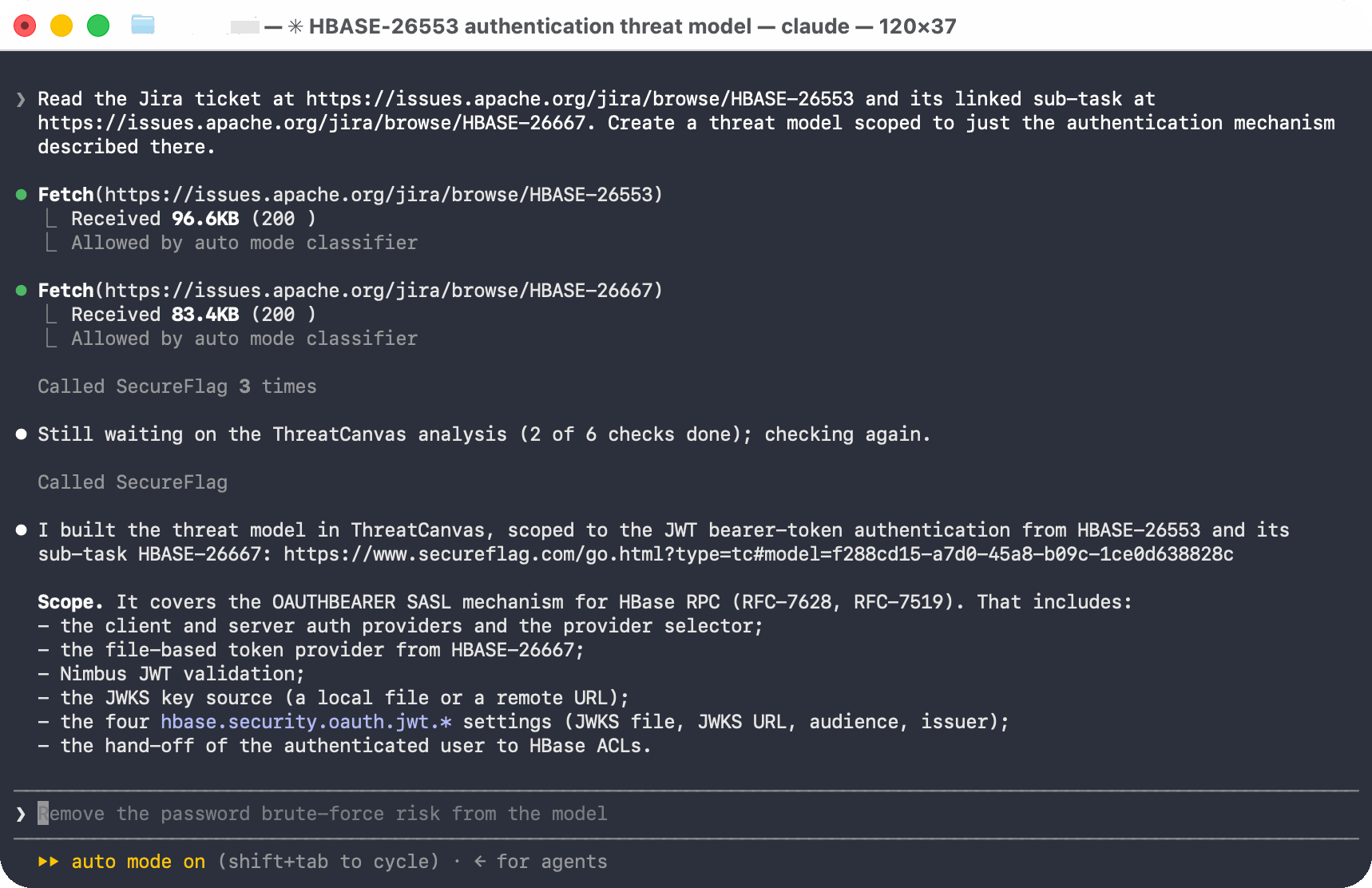
Setting a risk threshold
Consistency also makes risk measurable. Because every epic goes through the same steps, the threat and training evidence collected along the way can be compared against a risk threshold the organization defines.
A team might decide how much residual risk it is willing to accept for a given type of work. If an epic remains above that threshold after implementation, the team has a clear, specific reason to investigate before release, instead of relying on instinct.
The threshold itself remains an organizational decision. SecureFlag provides consistent threat and training evidence so that decision is made on comparable information every time.
Assigning work across a team
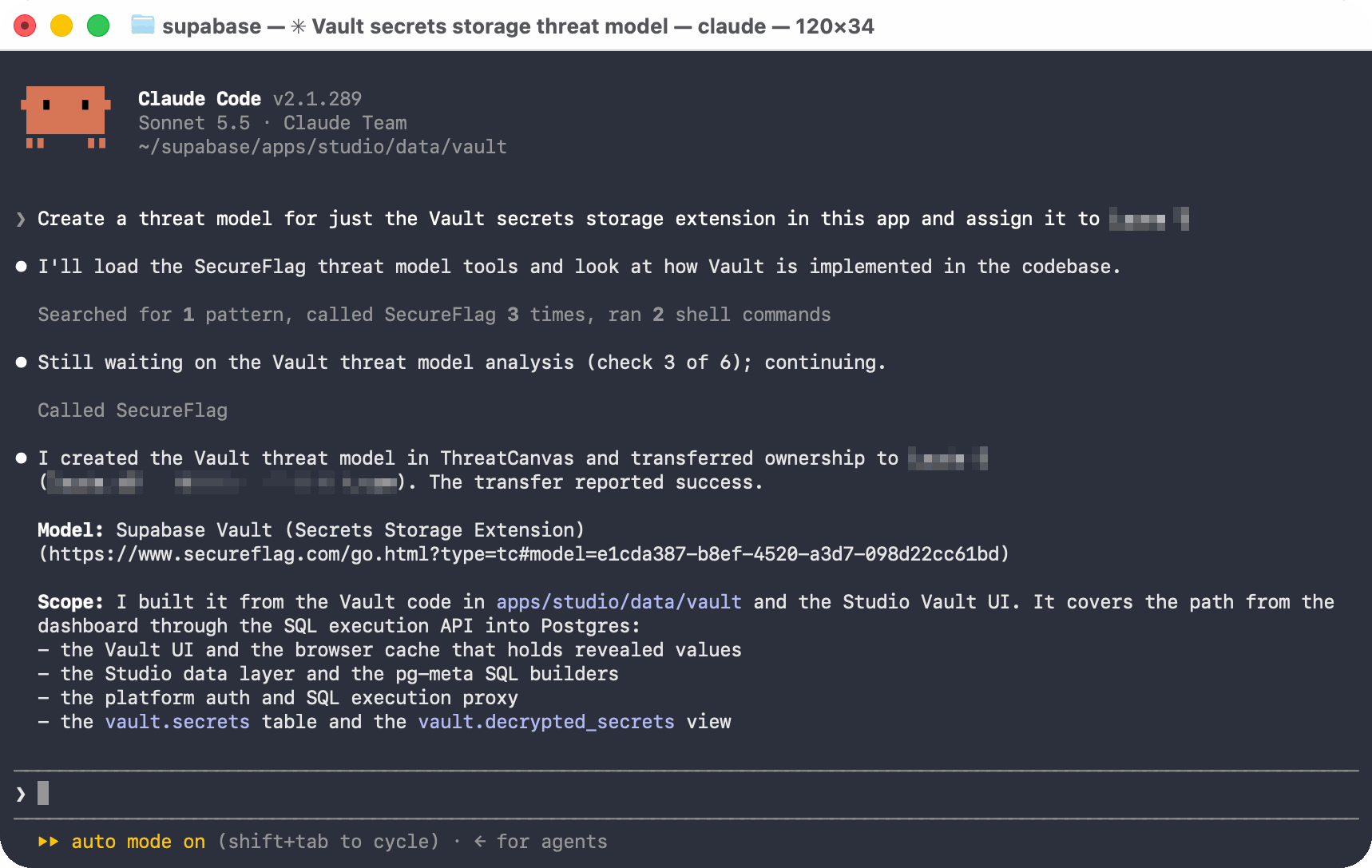
An administrator can generate a threat model for a specific piece of work and assign it directly to the responsible developer, so it reaches the right person without being forwarded manually.
Training can be assigned the same way. Based on a developer’s training history, an administrator can request targeted training for that person rather than a generic assignment. This is especially useful when a lead knows someone is about to take on a type of risk they haven’t handled before.
Working from a team’s own workflow
Not every team runs Jira. SecureFlag capabilities work from any tool or platform that supports MCP, including issue trackers, CI/CD pipelines, internal developer portals, and AI coding agents. It’s connected once at the team level rather than set up by each developer, so every team follows the same process, whatever system it uses.
Getting started
Automated threat modeling and training checks use the same connection described in the Quick Guide. Once SecureFlag is connected to Jira or your workflow system, every epic that moves through it follows the same path, without anyone needing to request it.
Evidence for every release
SecureFlag brings automated threat modeling through ThreatCanvas together with thousands of hands-on security labs across more than 70 programming languages and structured learning paths for a range of roles.
The MCP server applies threat modeling and training consistently to every epic in the pipeline. Each release decision comes with a record of what was checked and who was ready for the work, rather than an assumption that it was done.