It’s easy to see why CI/CD pipelines have become one of the most attractive targets in today’s software environments. They hold the keys to source code, production credentials, and deployment infrastructure, basically everything an attacker needs to compromise an entire software supply chain.
Let’s get into what CI/CD security involves, the most common threats teams face, and best practices for securing pipelines from source to deployment.
What Is CI/CD Security?
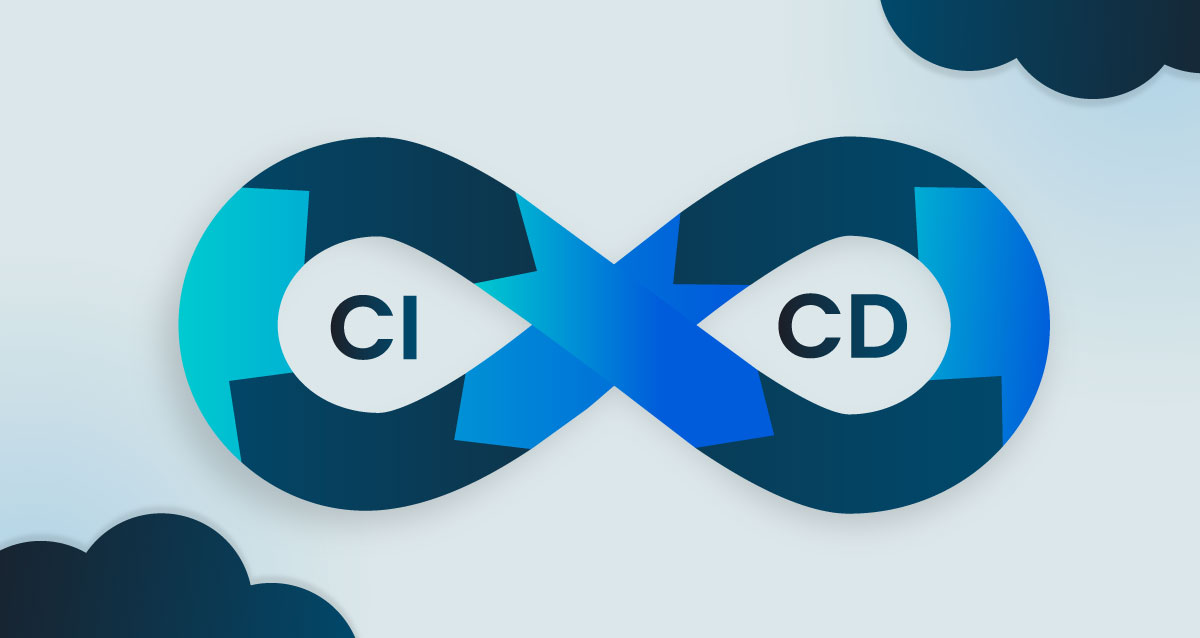
CI/CD security integrates automated security practices directly into software pipelines to catch vulnerabilities early and prevent unauthorized access. Also, very importantly, it protects against supply chain attacks. It covers the entire software lifecycle, from source code to deployment, by managing secrets, enforcing least-privilege access, and verifying artifact integrity.
So what exactly are we talking about here? CI/CD stands for Continuous Integration and Continuous Delivery (or Deployment).
-
Continuous Integration automatically merges code changes from multiple developers into a shared repository and runs tests.
-
Continuous Delivery ensures that code is deployable by passing it through automated testing and validation gates. Releasing to production still needs a manual approval step, but the code is ready to deploy at any time.
-
Continuous Deployment goes further by automatically releasing those changes all the way to production.
The security piece embeds automated checks at each stage of the pipeline, rather than only at the end.
The Importance of CI/CD Pipeline Security
When a pipeline is compromised, it can inject malicious code into software releases and expose credentials, or even deploy unauthorized changes, often without anyone realizing something is wrong until the damage has been done.
The reasons it should be taken seriously include:
-
Attack surface expansion: Seeing as pipelines connect to code repositories, artifact registries, and cloud environments, they create multiple entry points for attackers.
-
Privileged access: Build systems often hold powerful credentials and tokens for deploying to production, making them prime targets.
-
Supply chain risk: A single compromised pipeline can affect every downstream user of the software it produces. Supply chain attacks are estimated to have cost businesses $60 billion in 2025.
Common CI/CD Security Threats and Vulnerabilities
The OWASP Top 10 CI/CD Security Risks provides a helpful framework for understanding the potential challenges. Let’s walk through the most critical threats you’re likely to see.
Insufficient Access Controls and Identity Management
This threat involves inadequate Role-Based Access Control (RBAC) and overly permissive pipeline permissions. RBAC restricts system access based on a user’s role within an organization, so, for example, a junior developer might have different permissions than a release engineer.
When users or services have more access than they need, a single compromised account can cause widespread damage. Enforcing the principle of least privilege helps contain potential breaches, and requiring Multi-Factor Authentication (MFA) for changes to pipeline configurations adds another protective layer.
Hardcoded Secrets and Poor Credential Hygiene
Another vulnerability that’s seen a lot is when sensitive data, such as API keys, passwords, and access tokens, end up embedded directly in source code or configuration files. With 23.8 million secrets leaked on GitHub in 2024, and the numbers rising, it’s surprisingly common.
Dedicated secrets management tools like HashiCorp Vault, AWS Secrets Manager, or Azure Key Vault store credentials securely and inject them at runtime. The rule here is straightforward, which is never store secrets in code, even during local development.
Dependency Chain Vulnerabilities and Supply Chain Risks
Third-party libraries and packages can contain known vulnerabilities or even malicious code. Software Composition Analysis (SCA) identifies open-source components in a codebase and checks them against vulnerability databases.
Integrating automated SCA tools catches known Common Vulnerabilities and Exposures (CVEs) before they reach production. Equally important is monitoring for newly discovered vulnerabilities in dependencies you’re already using.
Poisoned Pipeline Execution Attacks
A Poisoned Pipeline Execution (PPE) attack occurs when an attacker manipulates a pipeline’s configuration file, such as Jenkinsfile or .gitlab-ci.yml, to run malicious commands during the build process. This is particularly dangerous because the malicious code executes with the pipeline’s elevated privileges.
The risk can be greatly reduced by restricting who can modify pipeline definition files and doing code reviews.
Insecure Build Environments and Artifact Tampering
Persistent build runners can retain sensitive data between jobs, and unsigned build artifacts can be tampered with before deployment. Both create opportunities for attackers to inject malicious code or steal credentials.
Ephemeral build runners (i.e., short-lived, single-use instances) and temporary environments destroyed after each job prevent credential persistence. Signing every build artifact with a cryptographic key ensures you can check it hasn’t been changed before deployment.
Insufficient Logging and Visibility
If there are no detailed audit trails, it becomes much more difficult to detect a breach or investigate suspicious activity.
That’s why it’s ideal to keep detailed logs for all pipeline events, including code commits, build executions, and deployment activities. It lets you see what’s happening in your pipeline, making it easier to find and respond to security issues.
CI/CD Security Best Practices
1. Implement Secrets Scanning and Secure Credential Management
A good way to prevent hardcoded secrets from being exposed is to use automated tools to detect them before code is merged into the main branch.
You can use tools like GitLeaks that integrate with pre-commit hooks to detect secrets before they are committed, and CI-based scanning provides an extra level of review for anything that was missed. However, server-side pre-receive hooks are the most effective way to prevent secrets from entering the repository in the first place.
It’s also better to have vault-based secrets management, as it’s more secure than relying solely on environment variables, which can be harder to audit and easier to accidentally expose.
2. Integrate SAST and SCA into Every Pull Request
A shift-left approach catches vulnerabilities before code reaches production. The two key tool categories that make this possible are:
-
Static Application Security Testing (SAST): Analyzes source code for security flaws without executing the application.
-
Open-source analysis: These tools, such as SCA, ensure that all libraries and packages are tracked for vulnerabilities and license compliance.
Configuring scans to run automatically on every pull request and fail the build on critical findings creates a consistent security gate.
3. Enforce Least Privilege and Role-Based Access Controls
When things go wrong, the blast radius can be reduced by restricting pipeline access to only the permissions that are necessary for a particular task.
-
Pipeline configuration: Make sure to limit who can create, modify, or delete CI/CD workflows.
-
Production deployment: Use manual approval gates and separate, short-lived credentials for production deployments.
-
Repository access: Use access tokens only for the tasks they’re meant for.
4. Harden Build Environments with Ephemeral Runners
As mentioned, ephemeral build agents are created for a single job and destroyed immediately afterward. It prevents credentials, sensitive files, or malicious code from persisting between builds.
Persistent runners, by contrast, can retain state (i.e., sensitive information or leftover build artifacts), making them targets for attackers looking to compromise multiple builds over time.
5. Automate Infrastructure as Code Security Scanning
With Infrastructure as Code (IaC), it’s possible to define infrastructure, including servers, networks, and databases, in configuration files. Examples include Terraform, CloudFormation, or Kubernetes manifests. Scanning IaC files for security misconfigurations before deployment prevents insecure infrastructure from being provisioned in the first place.
6. Generate and Verify Software Bills of Materials
An SBOM is basically a complete list of all the software, libraries, and dependencies in a project. It’s a good idea to generate an SBOM for every build, as it supports vulnerability tracking, license compliance, and supply chain security, a priority reinforced by CISA’s 2025 updated SBOM guidance.
7. Validate artifact integrity and sign deployments
Cryptographically signing build artifacts, such as container images, executables, and packages, ensures they haven’t been tampered with. It keeps deployments safe by having the pipeline check the signature to make sure everything is authentic.
8. Enable Continuous Monitoring and Audit Logging
Setting up real-time alerts helps to catch suspicious pipeline activity as it happens. We’re talking about incidents such as unauthorized access attempts and unexpected configuration changes. Pulling logs from all parts of the pipeline into a central system makes it easier to regularly review activity and investigate incidents.
Threat Modeling and Secure Coding for CI/CD Pipelines
Tools are essential, but they’re not always enough on their own. Proactive security design and strong developer skills can help reduce vulnerabilities at their source.
Detecting Security Gaps Before Runtime with Threat Modeling
Threat modeling is a systematic process for finding potential security risks and attack paths during the design phase of the software development lifecycle (SDLC). Applying threat modeling to CI/CD pipelines helps teams uncover architectural weaknesses before they’re implemented.
Automated threat modeling tools can help this process keep pace with rapid pipeline changes, making security analysis a continuous activity rather than a one-time exercise.
Reducing Vulnerabilities Through Hands-On Developer Training
Developers who understand secure coding principles write fewer vulnerabilities that scanners need to catch. Effective training focuses on practical, hands-on labs in real development environments rather than theoretical knowledge alone.
CI/CD Security Tools and Scanning Integration
To keep pipelines secure, it helps to integrate a variety of automated security tools directly into CI/CD workflows. We’ve already mentioned SAST tools and SCA, but others include:
Container and Registry Scanning Tools
Container scanning tools check images for vulnerabilities both before they’re pushed to a registry and after. This includes scanning operating system packages and application dependencies within the image, as well as identifying vulnerabilities in base images.
Secrets Detection and Management Tools
This category includes two types of tools:
-
Detection tools that scan code and Git history for exposed secrets.
-
Management tools that provide a secure, centralized vault for storing and rotating credentials.
Building a Security-First DevOps Pipeline Culture
CI/CD security needs a mindset change, along with the use of tools. Security should be integrated into every aspect of the development lifecycle.
-
Shared responsibility: Security should be everyone’s job (not just a task for a dedicated security team).
-
Continuous improvement: Regularly reviewing and updating security controls helps teams adapt to new threats.
-
Training investment: Developers with secure coding skills reduce vulnerabilities at their source.
How SecureFlag Supports CI/CD Security in Practice
Hands-on experience is one of the best ways to learn CI/CD security, and SecureFlag makes that possible. Developers get to work in realistic GitLab and Jenkins environments, finding and addressing security issues, as they would in real pipelines.
With SecureFlag, teams can use our CI/CD labs to:
-
Address common misconfigurations: Find and fix issues such as misconfigured access controls, unprotected branches, exposed credentials, and risky plugin usage.
-
Validate and mitigate dependencies safely: Find vulnerable packages and practice resolving them in a safe environment.
-
Experience the impact of unsafe practices: See firsthand how missteps affect the pipeline, reinforcing both awareness and practical remediation skills.
Teams can also use ThreatCanvas, SecureFlag’s automated threat modeling solution, to detect potential CI/CD risks and plan mitigations.
While theory has its uses, it’s more beneficial for teams to have practical training on how to prevent the kinds of mistakes that could disrupt production or compromise critical systems.